It’s amazing how the little things make a difference. Especially when it comes to your To-Do list. I found that I had a few items on my list that just kept getting pushed back. It’s not as if they were impossible feats or anything, but I couldn’t really put my finger on why they wouldn’t go away. Then I realized why they seemed to insurmountable: They were Projects, not Tasks. I was making things look harder than they actually were and my brain was automatically disregarding them.
It seems silly when I think about it now. Here are some examples of the things I had on my list:
- Clean the bathroom
- Burn Movies to CD
- Design a new Workout Program
At first glance, this list looks fine. If we look closer, we can see where I ran into problems.
Break Things Down
Let’s look at my first item, “Clean the bathroom.” This seems like a pretty innocuous thing to put on a To-Do list. I look at this item and I think to myself, “All I gotta do is go in there and clean the mirror, wipe the sink, scrub the toilet, sweep/vacuum the hardwood floors….Wait a Minute! This isn’t as simple as I thought!”
I automatically bypassed this task every time I saw it because it was too complicated to wrap my mind around all at once. Now, when I broke this down into a smaller steps and set it up as a project, it was much easier to deal with. Let’s say we take these steps as what’s needed to clean the bathroom:
- Clean the mirror
- Wipe the sink
- Scrub the tub
- Scrub Toilet (is there an official smily for “I’m gonna hurl?”)
- Sweep the floor
- Mop the floor
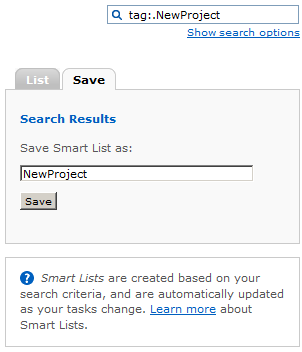
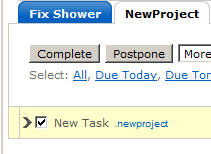
Now, I stick these into my Remember The Milk To-Do list and tag them with “.bathroom” so they all show up in their own little Smart List. Now, I tag one of them with “-next” so it shows up in my Context list named “@Home.” (If you have no clue what I’m talking about, check out my series “Supercharge Remember The Milk.”)
Instead of seeing “Clean The Bathroom,” I now see a simple task that won’t even take 5 minutes to do: “Clean the mirror.” I do a small review every-so-often, so at that time I can label another task from this project as “-next.” I sometimes even label all the tasks on the list as “-next,” assuming they don’t depend on each other, as there are task that could be independent and self maintain, for example vacuum the floor, for this I just got a vacuum from Vacuumpal that do the work for me.
Make Sure You Have What It Takes
Burning movies to CD is a simple task for most, but not for me. I can’t burn to a DVD because my laptop is old. I can play DVD’s, but not burn them. The movies have to be converted to VCD, SVCD, or KVCD first. The software I was using to take care of this before had stopped working for some reason.
Whenever I thought about getting this done, I remembered these facts and kept putting it off. I didn’t have the tools I needed to complete the task. I even further confused matters by giving myself too many choices internally: I have an XP laptop that I needed to find software for, or I could try and transfer the files and figure out how to do it on the MAC Mini.
Yeah, I know: Analysis Paralysis, but if I had broken down what needed to be done and added a task to “Download Software to Transcode Movies,” I would have the tools needed to complete the task and could have avoided the whole mess:
- Find & Download software to convert movies
- Convert Movies
- Burn Movies
So much simpler.
Think Things Through
The final item in question here is “Design a new workout program.” I am not a personal trainer, nor do I play one on TV, but I do actually have enough knowledge to design a basic workout program. The problem here is that, at the time I put this on my To-Do List, I had no clue what my goals were regarding working out. I was already doing a basic program and was just bored of it. Along with working out I purchased a flex belt from http://livetofitness.com. I have started to already notice my stomach getting flatter.
Every time I sat down or even thought about sitting down and designing a program, I ended up deadlocked because I wasn’t sure what to do. What should have happened was this:
- Evaluate likes/dislikes about current program
- Decide what results new program should produce
- Pick exercises that I enjoy
- Find/Design new program
This is not exact, but at least I end up with a better idea of what I want to do with myself. I can now either pick a new program based on my research, or just design one based on my goals.
Conclusion
Break things down. If you think about a project as several small and easy tasks, it will get done a lot quicker. This even works on others. Instead of telling your kid to “Clean up Your Room,” break it down into smaller steps and give them a piece at a time. Watch how much easier it gets completed.
Make sure you have what it takes. Don’t commit yourself to completing a task if you don’t even have the tools necessary to do it. Break the task up into a project. You may need to delegate some tasks to others to get what you need.
Think things through. Doing a brain dump is part of getting yourself organized. Get all those random thoughts, tasks and ideas out of your head. Just make sure that you think before you convert those things into full-fledged Next actions.
The key to getting things done is to make everything easier to deal with. Breaking everything into small, bite-sized chunks will help you to accomplish this. If you’ve ever moved or helped anyone move, you can understand how that entertainment center would be a lot easier to lift if it was in small pieces.
Have you run into situations where you bit off more than you could chew? How do you go about breaking down tasks into projects? Tell us about it in the comments.